
Installation
DebtDrone ships as a single binary. Core local scanning needs no companion service; Trivy is required only when security scanning is enabled. Choose the installation method that best fits your workflow.
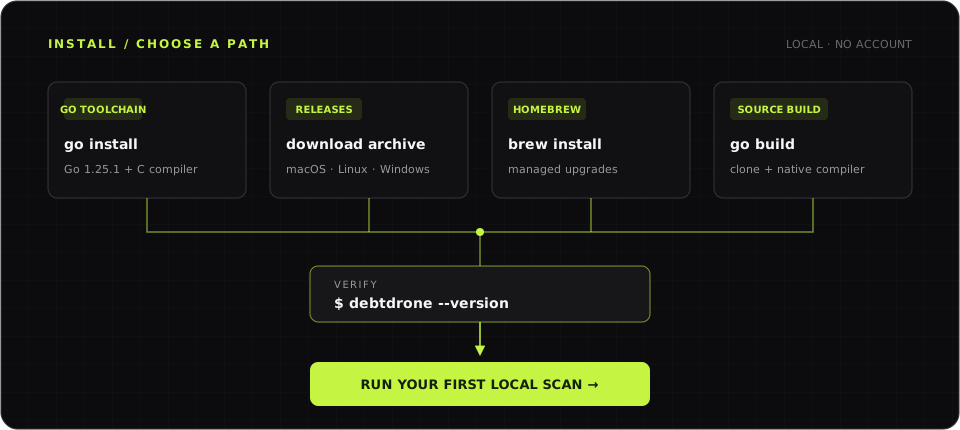 Choose a package manager, release archive, or source build; every path ends with the same local verification.
Option 1 — go install
Section titled “Option 1 — go install”If you have Go 1.25.1 or later and a C compiler on your PATH, this is the fastest path to a working installation:
go install github.com/endrilickollari/debtdrone-cli/v2/cmd/debtdrone@latestThe binary is placed in $(go env GOPATH)/bin. Ensure that directory is on your PATH:
export PATH="$PATH:$(go env GOPATH)/bin"Verify the installation:
debtdrone --versionOption 2 — Pre-compiled Binaries
Section titled “Option 2 — Pre-compiled Binaries”Pre-compiled binaries are published to the GitHub Releases page for every tagged release. Download the archive for your platform, extract it, and place the binary somewhere on your PATH.
Supported Platforms
Section titled “Supported Platforms”| OS | Architecture | Archive |
|---|---|---|
| macOS | x86_64 (Intel) | debtdrone_Darwin_x86_64.tar.gz |
| macOS | arm64 (Apple Silicon) | debtdrone_Darwin_arm64.tar.gz |
| Linux | x86_64 | debtdrone_Linux_x86_64.tar.gz |
| Linux | arm64 | debtdrone_Linux_arm64.tar.gz |
| Windows | x86_64 | debtdrone_Windows_x86_64.zip |
macOS / Linux
Section titled “macOS / Linux”# Replace <version> and <platform> with the values for your system# Example: debtdrone_Darwin_arm64.tar.gz for Apple Siliconcurl -L https://github.com/endrilickollari/debtdrone-cli/releases/latest/download/debtdrone_Darwin_arm64.tar.gz \ | tar -xz -C /usr/local/bin
debtdrone --versionWindows (PowerShell)
Section titled “Windows (PowerShell)”# Download and extractInvoke-WebRequest -Uri "https://github.com/endrilickollari/debtdrone-cli/releases/latest/download/debtdrone_Windows_x86_64.zip" ` -OutFile debtdrone.zipExpand-Archive -Path debtdrone.zip -DestinationPath "$env:LOCALAPPDATA\debtdrone"
# Add to PATH for the current session$env:PATH += ";$env:LOCALAPPDATA\debtdrone"Option 3 — Homebrew (macOS & Linux)
Section titled “Option 3 — Homebrew (macOS & Linux)”DebtDrone is published to a Homebrew tap:
brew tap endrilickollari/tapbrew install debtdroneUpgrade to the latest release at any time:
brew upgrade debtdroneOption 4 — Build from Source
Section titled “Option 4 — Build from Source”Clone the repository and build with the standard Go toolchain:
git clone https://github.com/endrilickollari/debtdrone-cli.gitcd debtdrone-cligo build -o debtdrone ./cmd/debtdronesudo mv debtdrone /usr/local/bin/Built-in Auto-Updater
Section titled “Built-in Auto-Updater”Verifying the Installation
Section titled “Verifying the Installation”Run the following to confirm everything is working:
# Show version informationdebtdrone --version
# Run a quick scan of the current directorydebtdrone scan . --format=text
If you see version output and a scan report, you are ready to go.
Continue with Run your first scan. If installation or native compilation fails, use the troubleshooting guide.